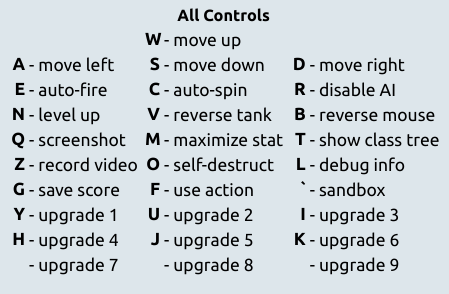
The new list of all controls, accessible by clicking the "view options" button on the game's menu screen, then going to the "Controls" tab.
Controls allow you to direct your Tank and interact with the Arras.io world around it. Some controls can be changed by viewing the game options; the controls below are the default.
Note that these controls apply to an English US QWERTY keyboard. Controls may vary from keyboard to keyboard.
Movement
The following keys allow you to control how your tank moves.
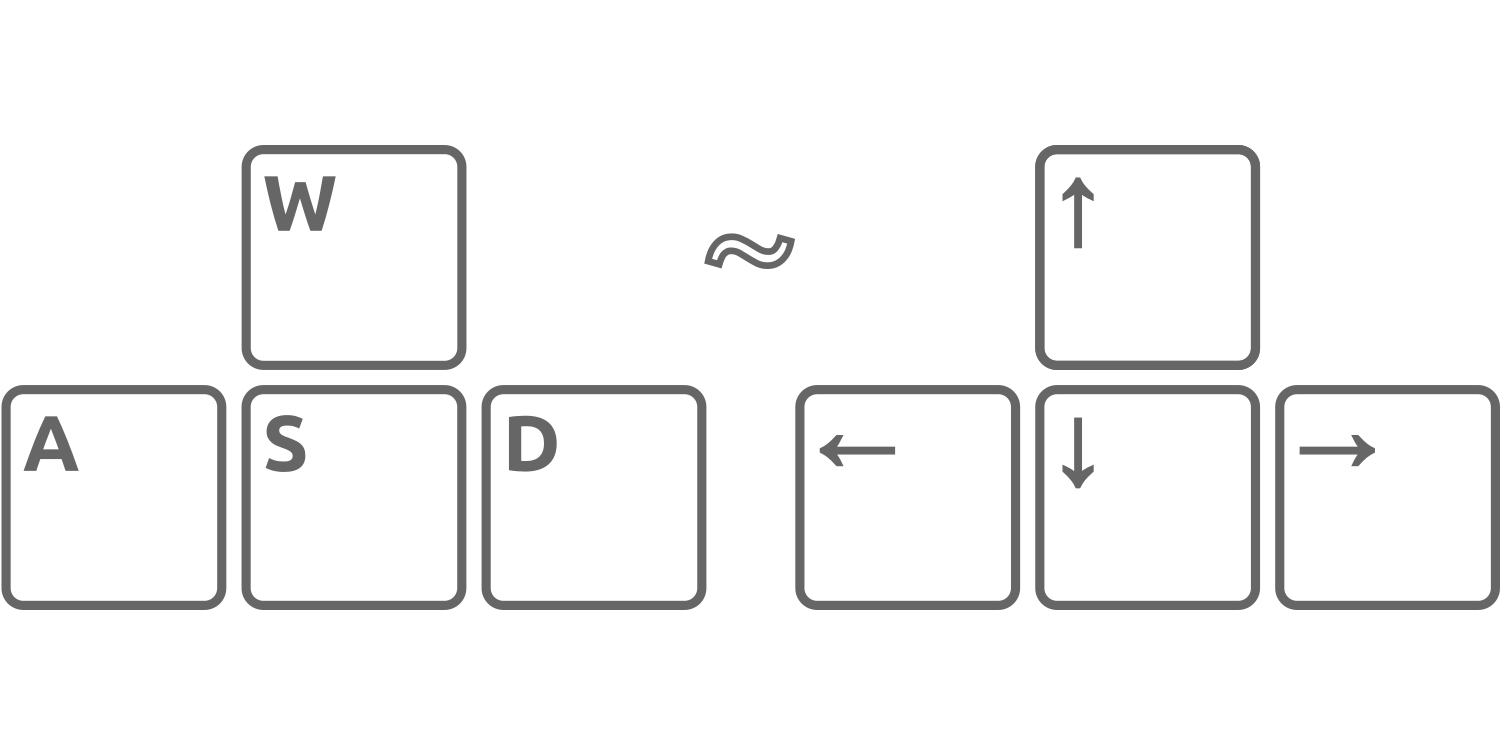
The W, A, S, D or ↑, ←, ↓, → keys let you move, up, left, down, and right respectively. They can be used interchangeably.
Aim
The Mouse and Trackpad allow you to control the tank’s “target”.
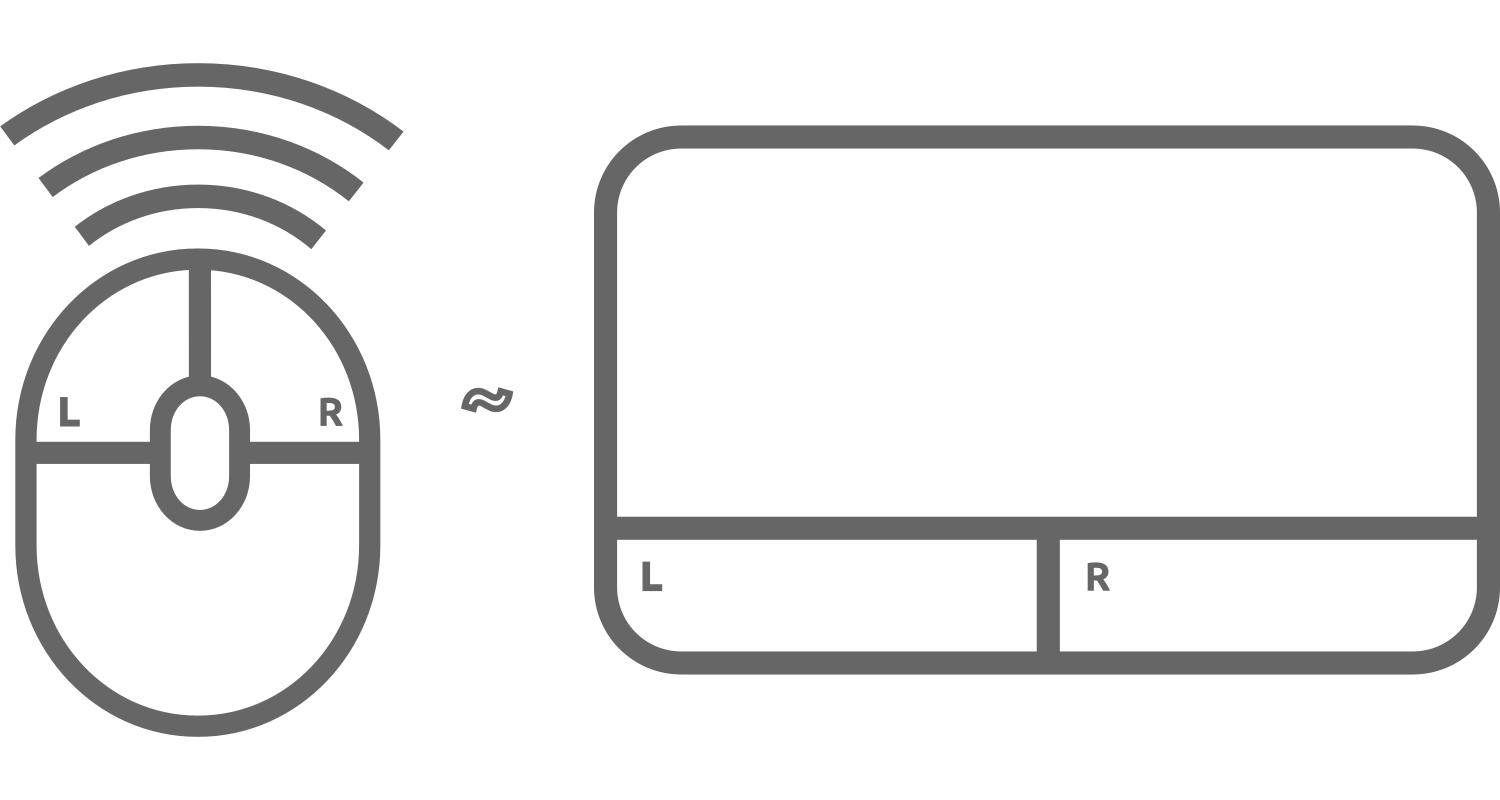
Left-Click allows you to target the pointer with Ammo.
Whilst Right-Click allows you to either control the tank’s scope, firing front Cannon as the Falcon or Eagle, disable aiming at cursor as the Boomer, or reverse/alter the targeting of Drones.
Space and Shift keys can also be used for Left-Click and Right-Click, respectively.
Special Keys
The E and C keys allow you to toggle the Auto Fire and Auto Spin functions respectively. (Has the same effect as holding down Space or moving the pointer in circles).
Pressing R keys toggle Override function, which disables AI targeting for automatic weapons (Drones, including Director branch, Battleship’s “autonomous” Swarm Drones and Swarmer and Beekeeper’s Hive Drones, Auto Turrets, including auto-turreted tanks, Engineer’s Traps#Pillbox turrets and Overdrive’s Auto Drone Turrets). It also disables Spike’s bounce ability.
The V key reverses your tank’s front direction, causing it to face away from the cursor. The B key reverses your mouse’s click buttons, making Right-Click for primary attack and Left-Click for secondary attack. Space Bar and Shift keys are also swapped on functionality.
N allows you to level up quickly. Mothership game modes excluding Portal Mothership have this key disabled.
If the tank is invinsible, pressing ,O will kill the tank instantly. This can be used if you spawn next to an enemy player or tank so you will be able to respawn in another place.
On Mothership and Domination game modes, F key can be pressed to take control of your team’s Mothership or captured Dominators only if no other players are actively controlling them.
Stats
Stats can be upgraded either by clicking their respective number button in the upgrade table or by using the numerical keys in different parts of the keyboard.
The Stats’ numeric IDs are in order 1 - 0 : Body Damage, Max Health,, Bullet Speed, Bullet Health, Bullet Penetration, Bullet Damage, Reload, Movement Speed, Shield Regeneration and Shield Capacity respectively.
The press of M + number will maximize the stat, or use all points if there's not enough points to maximize stats.
Upgrade Tier
Upon reaching a tank upgrade choice, you can click on the upgrade of your choice to change into that class, or click “Don't upgrade” to remain indefinitely as your class. Y, U, I, H, J, and K keys can also be used as hotkeys to upgrade into respective class choices. Upgrades 7, 8 and 9 have no set keys by default.
Other
- Display server information:
L- Displays latency (PING), server location, and Game Mode above the Map.
- Show Upgrade Tree:
T- Holding the key will display the upgrade tree further, overlapping the screen.
Sandbox
- Main article: Arras:Sandbox
In Sandbox, pressing ` + F1 or ` + ? opens a list of controls specific to sandbox mode.
- If desired, you can screenshot or record your screen by pressing
QorZkeys, respectively. To stop recording, pressZagain. Both functionalities will have the resulting image/video downloaded, so it’s preferable to have “Ask where to save each file before downloading” on Google Chrome or other similar options in other browsers disabled to avoid interruption.
Tank Controls (Mobile Version)
You can play Arras.io with any mobile device, just by accessing the site on Google Chrome (Safari won’t work, unless on a phone).
- Move:
Left Joystick - Aim/Fire:
Right Joystick
- Upgrade Tier: Press one of buttons shown on the top of the screen, which you wish to be.
- Upgrade Stat: Press the stats you want to upgrade, located at the top of the screen.
Mobile Menu
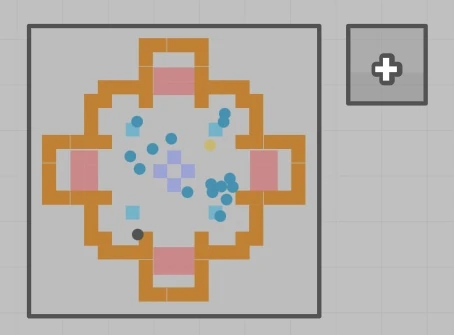
The Menu Closed
When playing in mobile, it is apparent that there is a small button with a plus sign on it during gameplay, which is located at the top left corner of the screen, next to the mini-map.
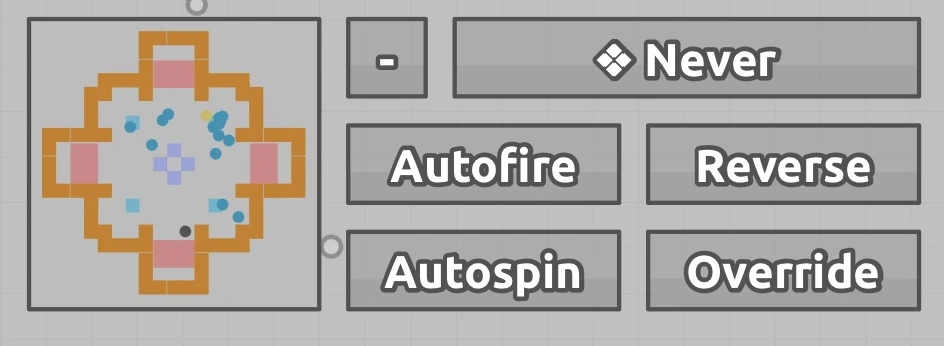
The Menu Open
When taping it, the menu opens up, and shows you a selection of controls you cannot access other wise. This includes Auto-Spin, Auto-Fire, Override, Reverse tank, and Right Click options.
You can select one of the following methods of Right-Clicking:
- Never - Will never activate.
- Always - Will activate upon using the fire joystick.
- Automatic - Reverses the tank position, while Right-Clicking when your finger gets far away enough from the center of the joystick.
- Manual - A button will appear below the mini-map, and when pressing it it will trigger Right-Click.
- Double Tap - Tap the fire joystick twice to activate Right-Click.
Left-Click will be also be active when Automatic triggers, when double tapping, when using both the fire joystick and the button when Manual is selected, or when Always is selected and using the fire joystick.
Tank Controls (controller)
- Move:
Left Joystick - Aim:
Right Joystick - Fire:
Right Trigger - Override:
B or circle button - Repel drones:
Left Trigger - Auto fire:
Right Joystick click - Auto rotate:
Left Joystick click


.png)


